
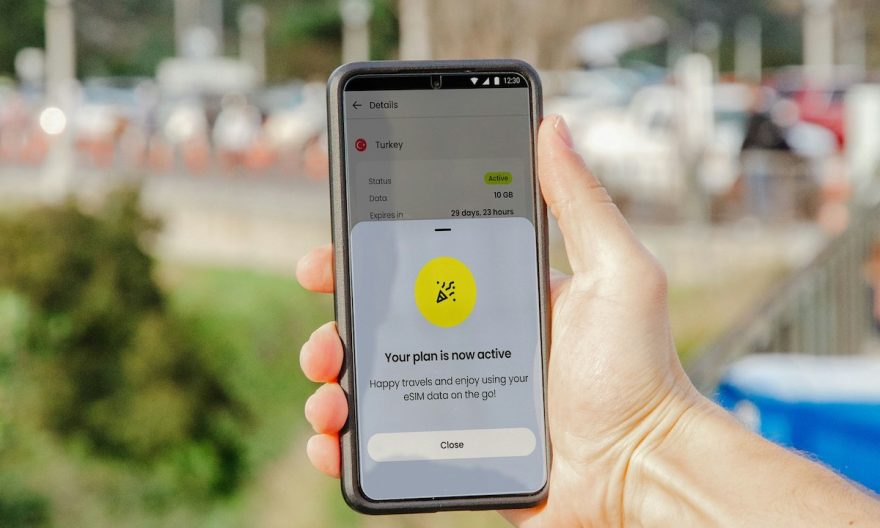
The rise of eSIM technology is transforming the telecommunications field, providing a flexible and convenient alternative to traditional physical SIM cards. However, not all smartphones have built-in eSIM functionality. For users of these devices, accessing eSIM technology may seem out of reach. Don’t worry! There are solutions to overcome this limitation and make your phone eSIM compatible, even if it wasn’t originally intended.
The eSIM card transferred to a physical SIM
For smartphones not equipped with eSIM functionality, the physical eSIM card offers a versatile solution. This miniature chip, which is a real SIM card, integrating a pre-installed eSIM profile, connects to your operator’s network via Bluetooth or NFC.
How does it work?
- Purchase of the physical eSIM card: Offered by various operators and third-party providers, the physical eSIM card can be purchased online or in specialized stores.
- Activation of the eSIM profile: After acquiring the card, follow the instructions provided by your operator or provider to activate the eSIM profile. This usually involves entering a code or scanning a QR code.
- Insertion of the physical eSIM card: Place the physical eSIM card in the dedicated port of your smartphone, usually located in the SIM card tray or on a specific adapter.
- Configuration of the eSIM connection: Access your smartphone’s settings to configure the eSIM connection. Select the eSIM operator and follow the instructions to finalize the configuration.
What are the advantages and disadvantages of the physical eSIM?
- + Compatibility with a wide range of smartphones
- + Simple installation and use
- + Ability to easily switch between different eSIM operators
- – Need for an additional physical card
- – Risk of device clutter
- – Advanced eSIM features sometimes unavailable
The external eSIM adapter via USB-C
For smartphones equipped with a USB-C port, like the Xiaomi Redmi 13C, an eSIM adapter represents a practical alternative to the physical eSIM card. This external adapter connects to the USB-C port and integrates an eSIM card.
How does it work?
- Purchase of the eSIM adapter: Available from certain operators and accessory manufacturers, the eSIM adapter can be purchased online or in specialized stores.
- Activation of the eSIM profile: Follow the instructions provided by your operator to activate the eSIM profile on the adapter. This usually involves entering a code or scanning a QR code.
- Connection of the eSIM adapter: Plug the eSIM adapter into your smartphone’s USB-C port. The device will automatically recognize the adapter and the eSIM profile.
- Configuration of the eSIM connection: Access your smartphone’s settings to configure the eSIM connection. Select the eSIM operator and follow the instructions to finalize the configuration.
What are the advantages and disadvantages of the external eSIM via USB-C?
- + Compact and easily transportable solution
- + No modification needed for the smartphone
- + Simple installation and use
- – Limited compatibility to smartphones with USB-C port
- – Slight performance drop possible
- – Advanced eSIM features sometimes unavailable

Using a virtual eSIM application
For recent Android smartphones, a software solution called eSIM application might soon become available. This application allows virtualizing the eSIM functionality on a smartphone not natively compatible.
How does it work?
- Installation of the eSIM application: Download and install the eSIM application from the Google Play Store.
- Creation of an eSIM profile: Follow the application’s instructions to create an eSIM profile. This usually involves entering your operator and plan information.
- Activation of the eSIM profile: Activate the eSIM profile created in the application. This may involve entering a code or verifying your identity.
- Configuration of the eSIM connection: Access your smartphone’s settings to configure the eSIM connection. Select the eSIM application and follow the instructions to finalize the configuration.
What are the advantages of eSIM virtualization?
- Elegant and simple software solution
- No hardware modification necessary
As you can see, eSIM technology offers several solutions to make your smartphone compatible. Whether you opt for a physical eSIM card, an eSIM adapter, or an eSIM application, there are options suited to your needs and your device’s configuration.