
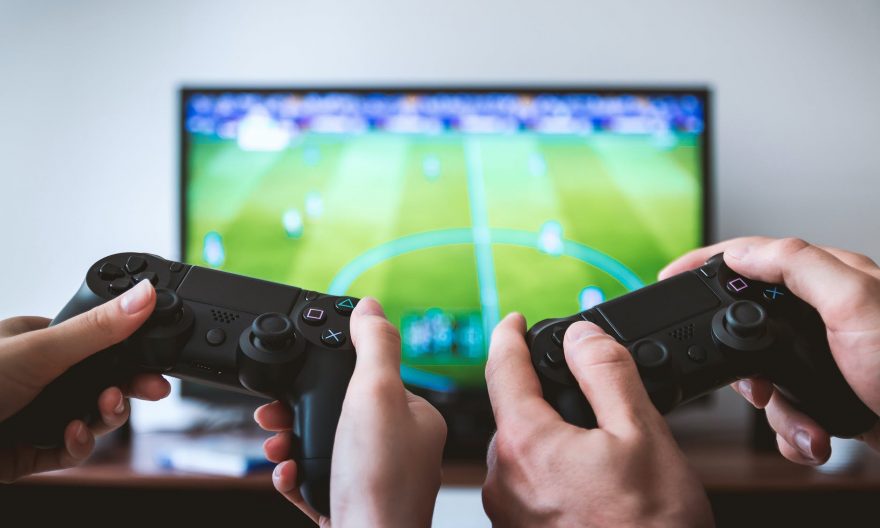
Is it possible to recycle your old PS3 controllers to use them on your Nintendo Switch V1 / V2 or even on your PC? Do you want to play FIFA on your Nintendo Switch with the same controller you used to use on your PlayStation 3 or Xbox? It’s possible, we’ll explain!
For over 15 years, technology has continued to work miracles: we have moved from wired controllers in 2000 to wireless controllers starting in 2006 up to today. If you don’t want to spend a fortune buying a new Switch controller (like the Switch Pro controller which costs around 60 euros), we have the solution for you.
Why buy a new controller when you can use the controller from your other console? This solution is simple, effective, and economically very interesting.
Moreover, it helps limit the creation of new waste for the environment (even if it is a tiny part of the waste). For this, you will find on the main e-commerce sites in France (Amazon, Cdiscount, Fnac, Rue du Commerce…) the wireless Bluetooth controller adapter for Nintendo Switch, PS3, PS4, or even Xbox, for about twenty euros. It may seem expensive for an adapter, but compared to the price of a Switch controller, the choice is quickly made.
How does it work? Our tutorial to connect your PlayStation or Xbox controller to the Nintendo Switch
To connect your controllers, simply plug the USB adapter into the USB port of the Nintendo Switch dock. Once this step is done, go to the settings tab, (controllers and sensors) then activate the “wired controller connection.” Next, plug the PS4 controller by cable into the adapter and turn it on. Wait a few seconds for it to sync, and you’re done. You can thus enjoy better playability comfort during your games.
To use the controller on the Switch’s screen itself, it requires using a small USB to USB-C adapter, which is often provided with the basic adapter. The startup is slightly different from the previous one: plug the receiver into the USB and then the USB-C into the USB-C port located under the Switch. It works perfectly, but for comfort, you won’t be able to place the Switch in TV mode because the adapter sticks out of the Switch. If you want to use a second PS4 controller on the Switch, you will need to buy a second adapter, which is the main drawback: the adapter only works with one controller at a time.
And on PC: how to connect your PS3 or PS4 controller to a computer?
With the Bluetooth adapter
Regarding the use of controllers on PC, you will also need this adapter. First, insert it into the USB port of the computer or the central unit. Then, press the “share” button and the “ps” button simultaneously, the controller will then flash quickly until a color is fixed. This means that your controller has synchronized with the adapter and you can use it.
By tinkering with your computer via Bluetooth
Another method exists if you don’t want to use an adapter. This one is a bit complex and involves several steps. Your computer must have Bluetooth, you will need to install the ScpToolkit software which allows you to use your wireless controllers. Once the software is downloaded and started, you will connect your controller using the USB cable to the computer, synchronization will occur until you receive a notification “the device is ready.” Then you will need to install “dualshock controllers” via the base software.
To connect your controllers via Bluetooth, you will then always via the ScpToolkit software click on “initialize all connected devices as Bluetooth.” When this is done, you will click on “install virtual xbox 360 controller driver,” your PS4 controller will be recognized as an Xbox controller by Windows because PS4 controllers are not compatible with Windows. This method is a little workaround to this barrier to continue playing your favorite games in the best comfort.
In conclusion:
As we have seen throughout this article, thanks to the evolution of technology, there is always a solution to continue enjoying playing on our favorite consoles while saving money. Moreover, don’t worry, you can always reconnect your controller to the PS4: just plug it in by cable to the console, turn it on, and wait for synchronization to occur.
Can you connect a Switch, PS3 / PS4, or Xbox controller to your laptop?
We often hear the following question: how to play on your laptop with a game console controller? Rest assured, it’s exactly the same principle as for the classic PC, described above, but the simplest is to invest in the recommended Bluetooth USB key that we suggested in this article.
However, to have a comfortable gaming quality for gaming on a laptop, we are often asked what is the price of a good laptop. If you plan to buy games on Steam, for example, you will need to invest in a powerful machine or even a gaming laptop. The price will depend on several criteria:
– the laptop processor: some are more efficient for gaming than others, you will need to opt for at least a 6-core processor (ideally 8 cores), and you will have to choose between AMD Ryzen and Intel i5 and i7 of the 10th generation;
– the available RAM: generally, the more GB of RAM you have, the more your laptop can handle the load increases of some data-consuming games, 8 to 16 GB seems to be a minimum in 2021;
– the type of hard drive: a fast and efficient SSD will guarantee optimal loading times for your games, so forget traditional hard drives and opt for an SSD with maximum disk space;
– the quality of the screen panel: do not neglect the screen of your laptop, its size will generally be at least 17 inches for a minimum of comfort, and as for the quality (resolution
Configurations for gamers on laptops can quickly reach significant amounts, and brands like MSI, Asus, Acer, and even Dell via its Alienware range offer optimal configurations for playing on the go.
Article written by Jules Garibaldi