
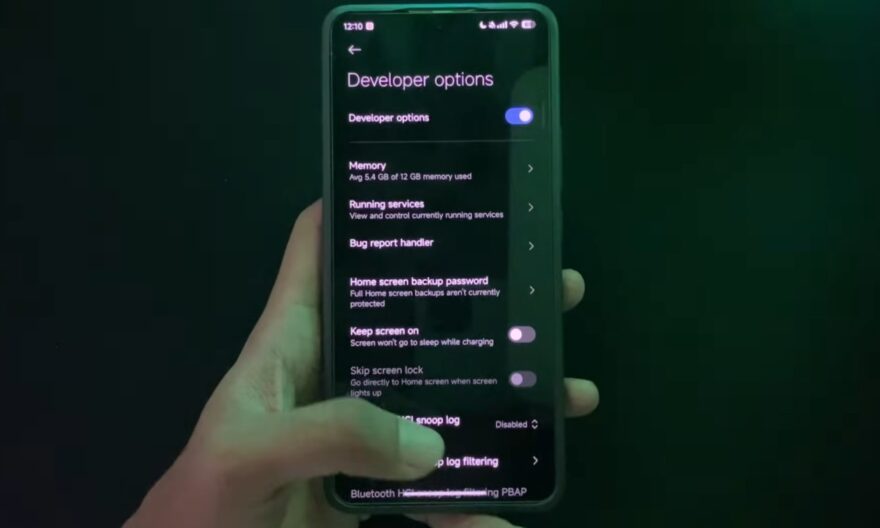
The root of an Android smartphone is as appealing as it is concerning. Behind this term lies a simple reality: gaining full access to the system, far beyond the usual permissions granted to users. Thanks to a root exploit, it becomes possible to deeply modify the phone’s operation, install advanced modules, or even remove restrictions imposed by the manufacturer.
This freedom attracts experienced users, but it relies on sensitive manipulations. Before starting, it is important to fully understand the mechanisms, tools, and consequences related to this approach.
Breaking Android barriers to access full rights
By default, Android severely limits possible actions on the system. This restriction protects data and prevents any critical modifications that could make the device unstable. Rooting bypasses this protection by exploiting a flaw or unlocking the bootloader to install administrator access.
Once these rights are obtained, the user can intervene on all aspects of the system. This includes modifying internal files, installing applications requiring advanced permissions, or even fully customizing the interface. This level of control far exceeds that offered by Android’s standard settings.
However, this total openness also involves significant responsibility. A wrong manipulation can alter the system and render the smartphone unusable.
Current methods for obtaining reliable root access
Techniques have evolved over time. Older exploits often relied on system vulnerabilities, but today, the most common method involves unlocking the bootloader followed by installing a root rights management tool.
The process generally begins with enabling developer options and USB debugging. Then, the device is connected to a computer to run commands via ADB and Fastboot. Once the bootloader is unlocked, a modified system file can be installed to activate administrator rights.
Solutions like Magisk are now favored because they allow root access while maintaining some stability. This type of tool also facilitates permission management by allowing or denying root access on an app-by-app basis.
This modern approach reduces risks compared to older methods, but it still requires rigor and precision at each step.
Fully exploiting a rooted smartphone without compromising its stability
Once root is activated, the possibilities become very broad. The user can remove pre-installed applications, optimize performance, modify battery management, or even install modules that add features originally absent.
Some also choose to install alternative ROMs to enjoy a different version of Android, sometimes lighter or more customizable. Others prefer to use root to access advanced tools, such as full system backup or modification of hidden settings.
However, each modification must be carried out with caution. Installing incompatible modules or modifying critical system files can cause bugs or even a complete device lockup. A gradual approach allows testing each change and avoiding major problems.
Essential precautions before modifying the system
Rooting should never be done without preparation. A full backup remains essential to preserve data in case of a problem. It is also crucial to download only reliable files suited to the exact smartphone model.
Unlocking the bootloader can lead to data deletion and, on some devices, make certain functions unavailable. Additionally, some applications, particularly banking or security-related ones, may refuse to work on a rooted device.
Keeping a charged battery and following precise instructions greatly reduces risks. Taking the time to verify each step before executing a command helps avoid difficult-to-correct situations.