
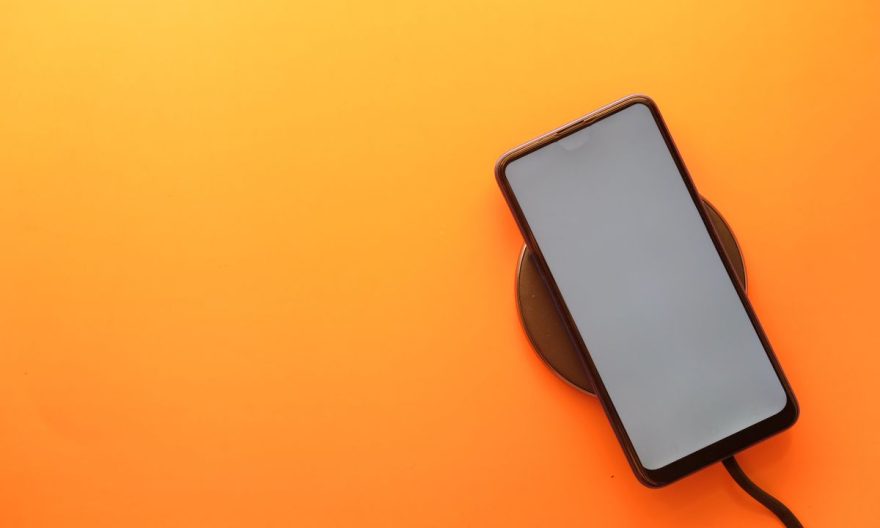
Xiaomi smartphones, particularly those in the Mi and Redmi range, are equipped with fast charging technologies that allow the device to charge at impressive speeds, thus reducing the waiting time to enjoy your phone. However, to take advantage of this feature, certain steps must be followed, and there are a few prerequisites to check to ensure that fast charging works properly.
Check your Xiaomi’s compatibility with fast charging
Before even thinking about activating fast charging, the first thing to do is to check if your Xiaomi phone supports this feature. Indeed, not all models of the brand are equipped with this technology, although many mid-range and high-end smartphones, such as those in the Mi series (Mi 10, Mi 11, Mi 12, etc.) and the Redmi Note, are compatible.
Fast charging on Xiaomi mainly uses two technologies:
- Qualcomm Quick Charge (for devices with Snapdragon processor),
- Xiaomi Mi Turbo Charge or Mi Fast Charge, which is specific to the brand.
Thus, if you have a compatible device, you can benefit from accelerated charging speed, ranging from 18W up to 120W on the latest models. To check if your model is compatible, consult the phone’s technical specifications on Xiaomi’s website or in the phone settings.
Also read: Fastboot Xiaomi: fix a bug on your smartphone in a few steps
Use a charger and cable compatible with your smartphone
Even if your phone supports fast charging, it is important to ensure that you are using a compatible charger with this technology. A standard low-power charger will not allow fast charging speeds, even if your device is compatible.
Xiaomi offers fast chargers capable of delivering high power, such as the 27W charger, 33W, or even 67W or 120W for the latest models. You will also need to use a quality USB-C cable, which must be able to support a high current without heating or getting damaged. Xiaomi recommends using cables provided with the phone or certified cables to ensure optimal fast charging.
Activate fast charging in Xiaomi settings
On some Xiaomi models, fast charging is enabled by default, but it is always good to check in the settings to ensure that the feature is indeed enabled and not accidentally disabled. Here’s how to check this:
- Open the settings of your Xiaomi phone.
- Go to the Battery section.
- Select Battery settings.
- You should see an option related to fast charging or fast cable charging.
- Make sure this option is enabled.
If the option is enabled, it means that your device can charge at high speed when you plug it into a compatible charger. If this option is disabled, simply enable it to benefit from fast charging.
Check the battery status and device temperature
Fast charging is a feature that generates more heat than normal charging, which can impact the battery in the long term. Xiaomi, like other manufacturers, has integrated safety measures to prevent overheating, and fast charging will not be activated if the battery or phone is too hot. If your phone is too hot or if you are using a case that prevents heat dissipation, fast charging will be temporarily disabled to protect the device.
Also, check that the battery of your phone is in good condition. If the battery is too worn or defective, fast charging may not work properly. In this case, it may be necessary to replace the battery to regain optimal fast charging.
Optimize charging settings for better performance
Some Xiaomi devices offer the possibility to further customize the charging settings to improve efficiency and battery life. For example, Xiaomi offers features such as “Battery Saver Mode” which, when enabled, can reduce charging speed to avoid damaging the battery in the long term.
To optimize performance, you can also enable the “Charge Optimization Mode” in the battery settings. This mode slightly slows down charging in the final stages to avoid overcharging the battery when it reaches high charge levels. This can be particularly useful if you charge your phone overnight.
Monitor charging speed with third-party apps
It may be interesting to use a charging monitoring app to check the speed at which your device charges and ensure that fast charging is working properly. Apps like AccuBattery or Ampere allow you to measure the charging speed and alert you if your phone is not charging at the expected speed. These apps also give you an overview of the battery temperature during charging, which can be useful to avoid overheating.
What to do if fast charging does not work?
If you have checked that your device is compatible with fast charging, that you are using a suitable charger and cable, and that the option is enabled in the settings, but fast charging still does not work, several reasons may explain this malfunction:
- Cable or charger issue: The cable or charger may be damaged or incompatible with your phone. Try another certified charger or cable.
- Software issue: A software bug or system update may sometimes cause charging problems. Check if a system update is available.
- High temperature: If your device is too hot, fast charging will be automatically disabled to prevent damage. Try letting your phone cool down before restarting the charge.
- Power saving mode: Make sure that the power saving mode is not enabled, as this mode limits charging speed to save energy.