
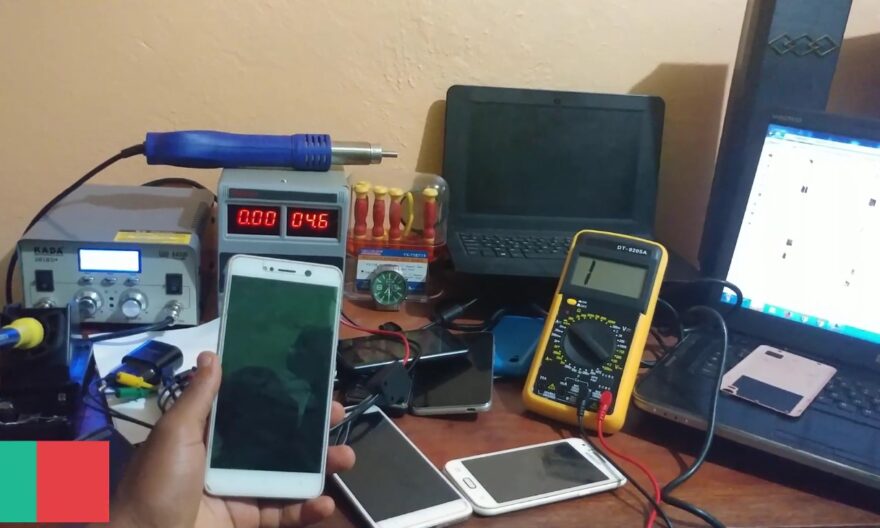
The term Flash ROM often comes up in discussions about unlocking and customizing smartphones, but it deserves to be understood precisely. This technique involves replacing or reinstalling a device’s operating system, often to fix software issues, install a newer version of Android, or remove certain limitations imposed by the manufacturer or carrier.
For advanced users, flashing a ROM offers the possibility to completely customize the mobile experience, but it also carries risks if not done correctly. Understanding the stakes and precautions is therefore essential before getting started.
Flash ROM: what is it really?
A ROM (Read Only Memory) is the operating system installed on a smartphone. In the Android context, it is usually a version of Android provided by the manufacturer and adapted to the specific model. Flashing involves rewriting this memory with a new or modified version of the system.
This operation allows you to:
- Install a version of Android different from the one initially provided.
- Remove pre-installed applications by the manufacturer or carrier (bloatware).
- Unlock certain software restrictions.
- Resolve persistent bugs or system crashes.
Flashing can be done from an official ROM, provided by the manufacturer, or a custom ROM, developed by the Android community. Custom ROMs often offer additional features, such as performance optimizations, extended battery life, or finer control over the interface.
Unlocking and restoration: how flash ROM intervenes
One of the main reasons users are interested in flash ROM is unlocking the phone. This may involve:
- Unlocking the bootloader, a mandatory preliminary step to install a custom ROM.
- Removing restrictions imposed by the carrier, allowing, for example, the use of the phone with another SIM card.
- Restoring a device blocked due to a software crash, a smartphone that no longer starts or remains stuck on the manufacturer’s logo.
In this context, flash ROM can transform an unusable phone into a functional device, but it requires a good mastery of the tools and strict adherence to the steps to avoid bricking, that is, rendering a device permanently unusable.
The advantages of flash ROM
- Access to the latest system versions: Some smartphones no longer receive official updates. Flash ROM allows you to install recent versions of Android to enjoy new features and security fixes.
- Advanced customization: Alternative ROMs offer interface, battery management, and performance options that official versions do not allow.
- Removal of bloatware: Applications imposed by manufacturers or carriers can be removed, freeing up memory and reducing system resource usage.
- Recovery of devices damaged by software: A blocked phone or one suffering from persistent bugs can be reset through flashing, without costly hardware replacement.
Risks and limitations to consider
Despite its advantages, flash ROM carries significant risks:
- Loss of warranty: Installing a custom ROM or flashing a non-official ROM generally voids the manufacturer’s warranty.
- Potential bricking: An error during the process can render the smartphone unusable.
- Hardware incompatibilities: Some features (camera, sensors, mobile network) may malfunction if the ROM is not perfectly adapted to the model.
- Difficult updates: Custom ROMs may not receive automatic updates, requiring manual follow-up.
These risks explain why flashing is often reserved for experienced users, capable of following precise tutorials and managing potential software issues.
Flash ROM vs alternative methods
Flash ROM is not the only solution to unlock or restore a smartphone. Other options include:
- Factory reset: Simple and without advanced tools, it resolves some bugs but does not allow installing another version of Android.
- Official unlocking via the carrier: To change SIM or remove certain restrictions, this solution is secure but limited to participating models and carriers.
- Recovery mode or download mode: Allows reinstalling the official firmware provided by the manufacturer, useful for restoring a blocked device.
Compared to these methods, flash ROM offers more freedom and customization, but at the cost of increased complexity and technical risks.
Flash ROM and security
Installing a non-official ROM can introduce vulnerabilities if the source is not reliable. Some alternative ROMs contain flaws or malware. It is therefore crucial to download files from recognized sources and verify digital signatures when possible.
Moreover, flash ROM should be accompanied by a complete backup of data, as the process generally erases all content from the phone. Users should plan a backup of contacts, photos, and applications before any manipulation.