
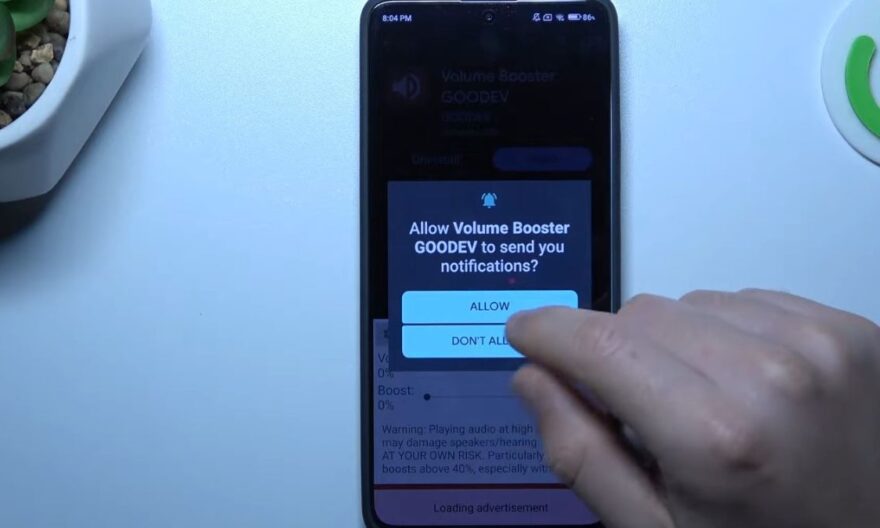
The Redmi Note 13 is a mid-range smartphone known for its solid battery life and clear display. Despite these qualities, some users notice that the speaker crackles at high volume, which can make listening to music, videos, or games less enjoyable.
This guide details possible causes and offers several solutions to improve sound quality without requiring physical intervention.
When the Redmi Note 13 speaker starts crackling!
The crackling occurs mainly at high volumes or with dynamic sounds. Understanding when it appears helps better identify the cause and target appropriate solutions.
Causes related to high volume
Increasing the volume puts a lot of stress on the speaker membrane and internal amplifier, which can create abnormal vibrations and distortions.
Some music tracks or videos, especially those with intense bass or compressed frequencies, accentuate this crackling. Even if the phone works normally at moderate volume, these contents can reveal the speaker’s limit.
The influence of files and applications
The crackling is not the same for all content. Highly compressed audio files, certain streaming applications, and games with rich sounds can cause more pronounced distortion.
Identifying the type of content that generates the crackling helps better anticipate and know when to limit the volume or adjust audio settings.
Basic checks before any intervention
Before changing settings or resorting to more complex solutions, it is advisable to check some basics to eliminate simple causes.
Restart and test different content
Restarting the phone can eliminate potential temporary interferences. It is useful to test several audio files, videos, or system sounds to check if the crackling is widespread or limited to certain content.
This simple step helps determine if the problem is software or hardware.
Update the system and applications
Software updates can fix audio anomalies. Installing the latest versions of MIUI and streaming applications, then restarting the device, can reduce crackling.
An up-to-date phone ensures that audio settings are optimized and that any corrections are applied.
Solutions to limit crackling
To improve sound output, several simple adjustments can be made. These methods help reduce distortion without hardware intervention.
Slightly reduce the maximum volume
One of the most effective ways to avoid crackling is not to reach the maximum volume. Keeping the sound around 80 to 90% of capacity helps limit abnormal vibrations while maintaining good sound power.
This simple approach preserves audio clarity and also protects the speaker’s lifespan.
Adjust the audio equalization
The built-in equalizer of the Redmi Note 13 allows reducing certain frequencies responsible for saturation. Slightly reducing bass and midrange or choosing a specific audio profile can improve sound clarity.
Experimenting with these settings allows finding a compromise between power and sound quality, limiting crackling without reducing volume.
Limit additional audio effects
Some applications add effects that saturate the speaker, such as surround mode or virtual amplifiers.
Disabling these effects or limiting the use of third-party equalizers reduces distortions and allows the speaker to operate more stably.
Complementary solutions
If audio settings are not enough, other methods can be considered to improve the sound experience of the Redmi Note 13.
Use headphones or earphones
Using wired headphones or quality Bluetooth earphones allows bypassing the limitations of the internal speaker.
This method ensures stable and precise sound, even at high volumes, and protects the speaker from excessive stress.
Check the cleanliness and condition of the speaker
A clogged or dusty speaker can accentuate crackling. Inspecting and cleaning the speaker grill with a dry cloth or fine brush can improve sound output.
Regular maintenance prevents irregular vibrations and maintains audio quality over time.
Contact technical service if necessary
If crackling persists despite all previous steps, it may be a hardware defect. Contacting Redmi or Xiaomi support allows obtaining a diagnosis and, if necessary, a replacement under warranty.
It is recommended not to open the phone yourself to avoid voiding the manufacturer’s warranty.