
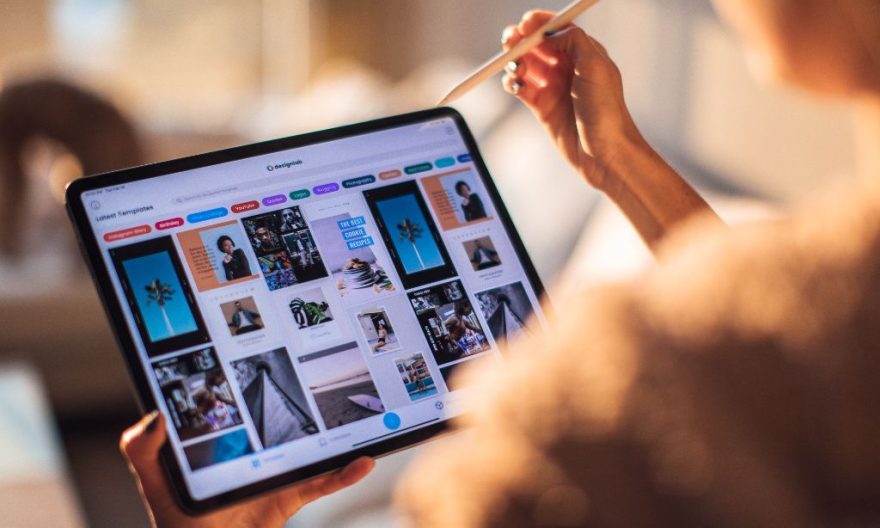
Video editing on a tablet is now a popular option thanks to its flexibility and ability to offer quality work while allowing you to stay mobile. However, it is essential to consider several criteria before making your choice, including performance, screen size, software compatibility, and your budget. In this article, we will detail the most important factors for selecting the ideal tablet for your video projects.
The basic criteria for choosing your video editing tablet
One of the first features to consider is the screen size. The larger the screen, the more comfortable workspace you will have for your edits. A tablet with a large screen, such as 11 or 12.9 inches, will allow you to work with more detail without constantly zooming in.
The resolution of the screen is also a key factor. Opt for a tablet offering a high resolution (at least 1920 x 1200 pixels), preferably Retina or AMOLED, to ensure sharp and precise images. This will allow you to clearly view the fine details of your videos during editing, especially when it comes to cutting scenes or adjusting colors.
Processor and RAM
The processor and RAM are two fundamental elements for smooth video editing. To efficiently process video files, it is recommended to have a tablet equipped with a powerful processor (for example, Apple M1 or Snapdragon 8), paired with 8 GB of RAM or more, ideally 12 GB or 16 GB for more complex video projects.
A higher amount of RAM allows you to manage multiple applications simultaneously and perform editing tasks smoothly. A tablet with this capability will be able to handle high-definition videos without slowing down, even when using heavy editing software.
Storage capacity
Video editing requires a large amount of storage space to host your source files, projects, and final renders. For quality video editing, choose a tablet with at least 128 GB of internal storage, or even 256 GB or more if you work with long videos or 4K files.
Also, check if the tablet offers storage expansion, such as a microSD card, which can be very useful for increasing storage capacity without having to replace the device.
Battery life
Good battery life is essential to avoid being limited during your editing sessions. Most quality tablets offer between 8 and 10 hours of battery life. If you often work on the go, it is recommended to choose a tablet that can last a full workday without needing to be recharged.
If you are required to work outdoors, also check that the tablet can be quickly recharged via USB-C or a wireless charger, which will save you time during your editing sessions.
Compatible video editing software
Before choosing your tablet, make sure it is compatible with the video editing software you use. Applications like Adobe Premiere Rush, LumaFusion, Kinemaster, and PowerDirector are often used by content creators. Ensure that these software are available for the tablet’s operating system (iPadOS or Android).
Some software is optimized for a specific operating system, which can make the user experience smoother. For example, LumaFusion is particularly efficient on iPad, while Kinemaster offers a good experience on Android.
Also read:
Connectivity: Stay connected at all times
Connectivity is another important criterion, especially if you work with large files or need to share them quickly. A tablet with Wi-Fi 6 will allow you to transfer your videos at high speed. If you need to work outdoors or in places without Wi-Fi, a tablet with 4G/5G connectivity can be a valuable asset for accessing your cloud files or sending your projects without network constraints.
Recommended tablet models for video editing
Here are some models particularly recommended for intensive video editing use:
- iPad Pro (Apple): This model stands out for its exceptional performance and high-quality Retina display. The video editing applications are perfectly optimized for iPadOS, offering a smooth and responsive experience. You can choose between the 11-inch or 12.9-inch models, depending on your screen size preferences.
- Samsung Galaxy Tab S9 Ultra: This tablet offers a spectacular AMOLED display and a high-end Snapdragon processor, providing exceptional performance for editing tasks. Its battery life is also impressive, allowing you to work for long hours without interruption.
- Microsoft Surface Pro 9: Although it is a 2-in-1 device, the Surface Pro stands out for its processing power equivalent to that of a laptop. It is equipped with Windows 11, allowing the use of a wide range of professional software for video editing. Its ability to transform into a tablet with a detachable keyboard makes it particularly convenient for users who want to combine work and mobility.