
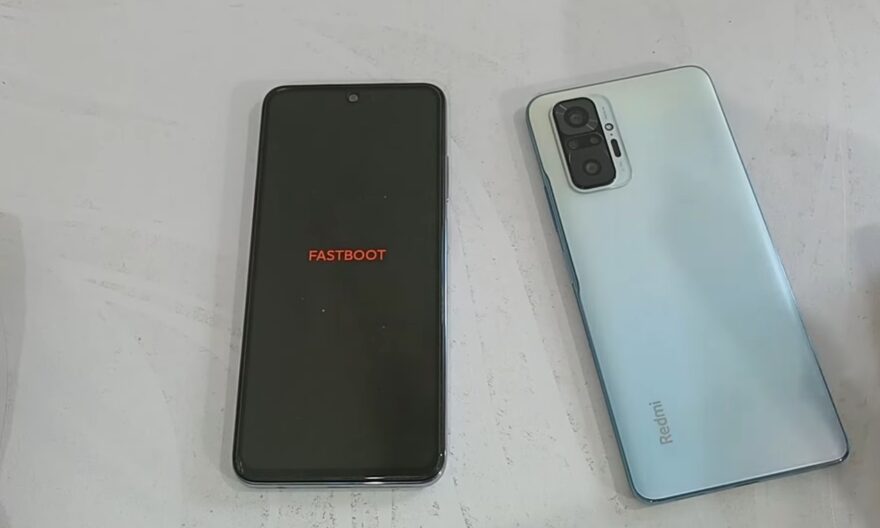
The Fastboot mode is a tool integrated into all Android devices that allows direct communication with the bootloader. Unlike the classic recovery mode, Fastboot offers advanced control over the system, allowing you to flash firmware, fix system errors, or restore a bricked device. For users facing a bootloop, a failed root, or corrupted firmware, Fastboot often becomes the last resort before a complete reset.
The advantage of Fastboot lies in its ability to reinstall a complete system without going through the Android interface, making it essential for serious repairs or advanced customization. However, it requires a minimum of preparation and caution, as any incorrect handling can render the smartphone unusable.
Access Fastboot mode and prepare your device
Before any manipulation, it is crucial to know how to start a phone in Fastboot mode. On most devices, this involves turning off the smartphone and holding a specific combination of keys, often Volume Down + Power, until the Fastboot screen appears. On some recent models, a USB cable and access via ADB commands also allow you to enter Fastboot mode from a computer.
Once the mode is activated, it is recommended to check the connection with a computer equipped with official Fastboot tools. The fastboot devices command ensures that the smartphone is correctly recognized before any flash operation. Preparing the official firmware corresponding to the exact model and region of the device is essential to avoid compatibility and bricking issues.
Reinstall a complete system using Fastboot
One of the most common uses of Fastboot is the complete reinstallation of the firmware. This operation often occurs when the smartphone has serious malfunctions, such as a persistent bootloop or a corrupted system after a root. Unlike a classic reset, flashing via Fastboot allows you to completely replace the system partitions, sometimes even without erasing personal data if the appropriate commands are used.
The process relies on a series of commands specific to each manufacturer and model. For example, some commands allow flashing only the bootloader, while others target the system, recovery, or cache partitions. Caution is essential: incorrect firmware or an interrupted flash can turn a phone into an unusable device.
Fix issues without erasing all data
Fastboot is not only reserved for complete reinstallations. It also offers intermediate solutions to repair the system while preserving data. Clearing the cache or reflashing certain critical partitions may be enough to resolve a bootloop or software bug. Experienced users can also temporarily unlock certain bootloader protections to fix errors without losing their personal files.
This approach avoids the drawbacks of a complete reset while restoring a functional device. However, it requires carefully following the manufacturer’s instructions and verifying the exact compatibility of the firmware.
Essential precautions before any manipulation
The use of Fastboot involves several precautions to limit risks. Keeping the battery charged above 50% is essential, as an interruption during the operation can permanently block the smartphone. Checking the exact match of the firmware with the device model and performing a preliminary backup of accessible data are essential steps.
Finally, it is advisable to consult official guides or specialized communities before launching a flash via Fastboot. This meticulous preparation ensures that the smartphone can be repaired effectively without additional complications.
Fastboot mode is a powerful tool that offers a second chance to a blocked or corrupted Android. When used correctly, it allows you to reinstall, repair, and restore a device with a precision that classic recovery mode does not allow. With rigorous preparation and the right instructions, Fastboot becomes an essential ally for anyone wishing to regain control of their smartphone.